Amazing. I’m enjoying Ponies enough to put up with the ads.
Amazing. I’m enjoying Ponies enough to put up with the ads.
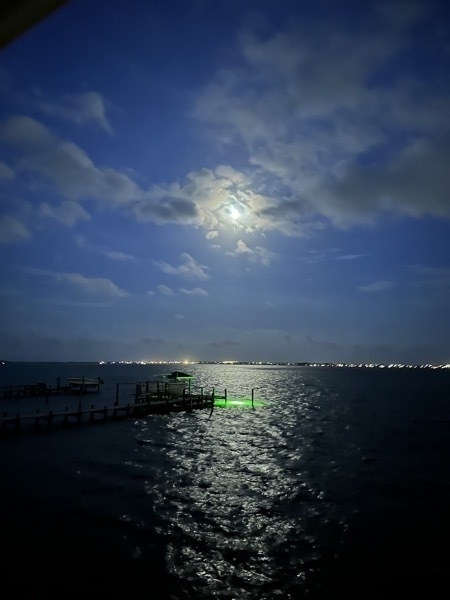
Bogue Sound at night, Atlantic Beach on the Horizon.
Our new washing machine expels water much faster than our old one, so much faster that plumbing improvements will be required. Meanwhile, I’m going to try draining the water into a nearby toilet. (This is an old post from the spring of 2023.)
I picked up my Studio Display April 21 and plugged in my MBP immediately. I think I’ve only unplugged it once since, when I upgraded the table they’re on. This is the nicest computing environment I’ve ever had.
I took this picture of Barney on March 5, the day before he died.
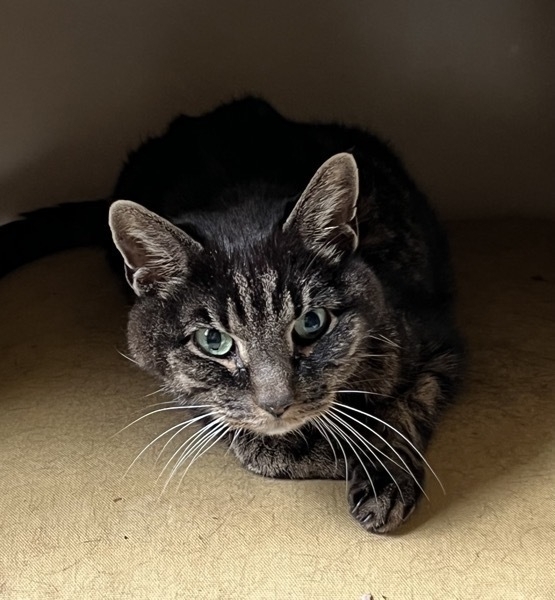
More than 15 years is a long time to know any pet. We are lucky to have had so much time with him.
Barney begged for green beans and asparagus whenever we steamed them. Of course chicken and fish weren’t safe from him, but Barney’s enthusiasm for certain vegetables was remarkable. Most endearing was the way he pressed himself against anyone sitting still. Barney sought us out every day. What a great guy!
Maybe the 2nd word in the title is redundant. The house printer (HP) died so I set up its replacement (also HP, but smaller). The old iMac already had the HP apps installed so I used it and everything was fine until I printed the test page at the end and it came out in shades of gray instead of in color. Opened some files in Preview and saw the same problem. Driver? Used the info button on the printer itself and the ink levels for the multicolor cartridge were in color. Driver. Driver that the app named HP Smart installed. So here on the MBP I set up the printer via Sys Prefs and color printing works.
🙄
My M1 MacBook Pro arrived yesterday. I ordered it December 6, 2021.
This post (via MarsEdit) is part of setting it up. I decided not to use Migration Assistant this time, hoping to leave some cruft behind. My old iMac still works so I do have a fallback if need be.
So far the only drawback is less screen real estate. Now I’m joining that group of people who want a big monitor.
It was disappointing that the old (gen 1, I think) Eero mesh network got in the way of ssh access. Not even a response to ping from the iMac. Maybe I could reconfigure but instead, why not just use the other local network (GFib)? No problem. We hired Eero to improve connectivity upstairs and that’s still a thing, but I can live this way awhile. (Might as well hope for new AirPorts along with the monitor.)
General Topic: 100 Days of SwiftUI
Summary: PH says to use import Cocoa but import Darwin works instead.
Working through (at least part of) Day 7, on this page PH says “…our playground has always had import Cocoa…” but my playground never has. I’m running Xcode 13.2 just as he recommends, on Monterey (12.1), but my playground complains that there’s No such module when I try importing Cocoa. And in fact, I didn’t type import Darwin—Xcode did it for me. I just typed sqrt, ran the playground, and discovered the import at the top.
A question on Stack Overflow has a couple of very informative answers, one from Rob Napier (@cocoaphony).
And finally, I’m curious to see how this looks on the blog in Safari. The pre button in the MarsEdit post editor seemed to want to format the entire paragraph and the custom formatting macro that I wrote added more line breaks than I needed, so I wound up choosing a monospace font and mashing the B button. Ick, but I’m trying to stay focused on SwiftUI.
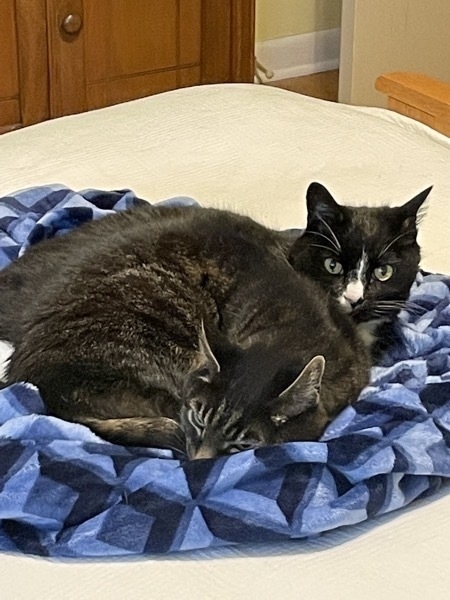
Barney in front of Cameron
Because I’m so lazy I’m still ducking Markdown.